
Introduction
In today’s digital world, cyber security tips are no longer optional; they are a basic life skill. From students and office workers to business owners and freelancers, everyone depends on the internet for daily tasks. We shop online, store photos in the cloud, send emails, and manage bank accounts using digital devices. However, this convenience also brings serious risks. Hackers, scammers, and cyber criminals are always looking for weak points to steal data, money, or identities. That is why learning practical cyber security tips is essential for staying safe online.
Many people believe cyber attacks only target big companies, but that is not true. In reality, beginners and regular users are often the easiest targets. A weak password, a fake email, or an unsecured Wi-Fi network can cause major damage. Once personal information is leaked, it can be misused for years. This makes cyber security awareness important for both individuals and organizations.
The good news is that online safety does not require advanced technical knowledge. By following simple cyber security tips and building good digital habits, anyone can reduce risks significantly. Small actions like updating software, using strong passwords, and recognizing scams can make a big difference.
This article is designed for beginners and intermediate readers who want clear, practical, and easy-to-follow guidance. You will learn what cyber security tips are, why they matter, and how to apply them step by step. By the end, you will have the confidence to protect your digital life more effectively.
What Is Cyber Security Tips?
Cyber security tips are practical guidelines and best practices that help protect digital devices, networks, and personal data from online threats. These tips focus on prevention, awareness, and safe behavior while using the internet.
At its core, cyber security is about protecting three key things: data, systems, and privacy. Cyber security tips guide users on how to secure passwords, avoid malicious links, protect devices, and recognize suspicious activities.
Unlike complex technical security systems, cyber security tips are simple actions anyone can follow. For example, creating a strong password or enabling two-factor authentication are basic yet powerful security measures. These small habits act as the first line of defense against cyber attacks.
Cyber security tips apply to many areas, including mobile phones, laptops, social media accounts, email usage, and online payments. They also cover safe browsing, software updates, and data backup practices.
In simple words, cyber security tips help users stay alert and safe in a digital environment where threats are constantly evolving. When followed consistently, they reduce the chances of becoming a victim of cybercrime.
Why Is Cyber Security Tips Important?
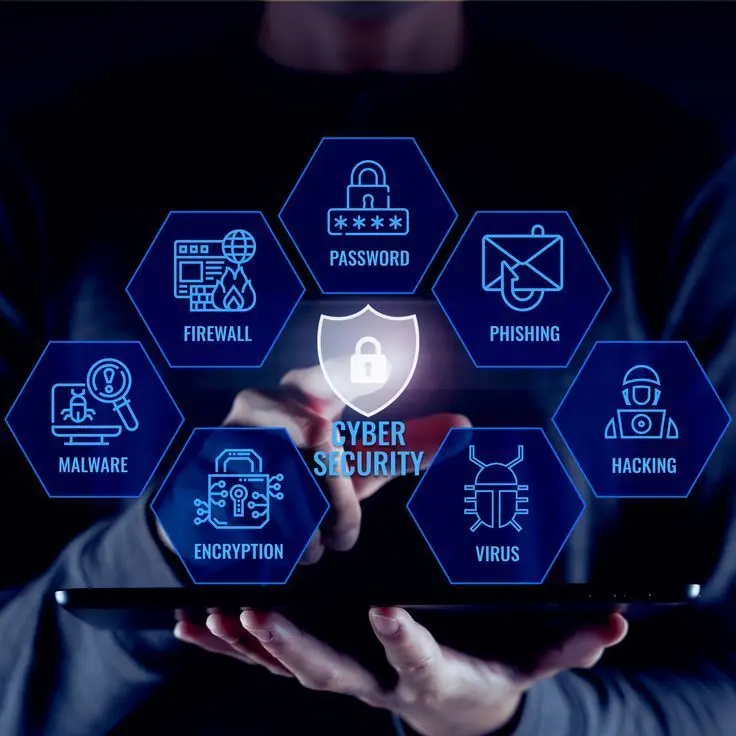
Cyber security tips are important because cyber threats are increasing every year. Hackers use smarter tools, and attacks are becoming more frequent and more damaging. Without proper protection, personal and professional data can be easily compromised.
One major reason cyber security tips matter is data protection. Personal information like passwords, bank details, and identification numbers are valuable targets. Once stolen, this data can be used for fraud, identity theft, or blackmail.
Another reason is financial safety. Online scams, fake websites, and phishing emails can drain bank accounts within minutes. Cyber security tips help users recognize warning signs before it is too late.
Cyber security tips also protect privacy. Many people unknowingly share too much information online. Attackers can use this data to track behavior, access accounts, or launch targeted attacks.
For businesses, ignoring cyber security tips can lead to legal issues, loss of customer trust, and serious financial losses. Even small businesses are at risk because attackers know they often lack strong defenses.
Overall, cyber security tips are important because they empower users to take control of their digital safety. Awareness and prevention are always better than recovery after an attack.
Detailed Step-by-Step Guide
Use Strong and Unique Passwords
Passwords are the foundation of online security. Weak passwords make it easy for hackers to access accounts.
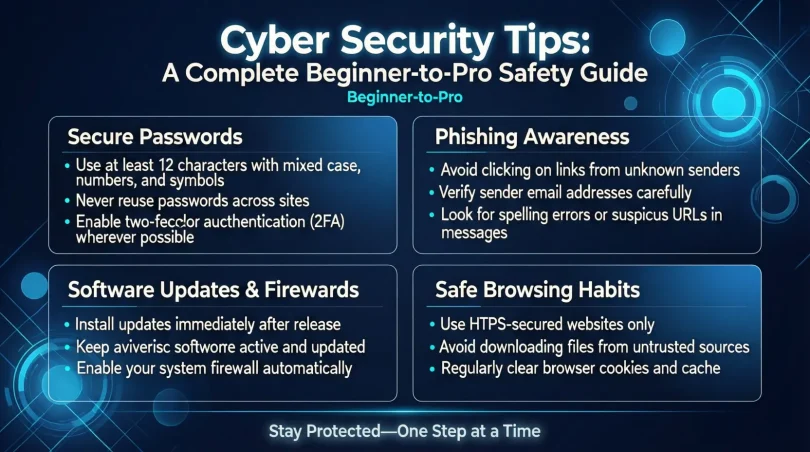
Use long passwords with a mix of letters, numbers, and symbols. Avoid using names, birthdays, or common words. Each account should have a unique password to prevent multiple accounts from being compromised at once.
Password managers can help store and generate strong passwords safely.
Enable Two-Factor Authentication
Two-factor authentication adds an extra layer of security. Even if someone steals your password, they still need a second verification step.
This second step can be a code sent to your phone, an email confirmation, or an authentication app. Enabling this feature significantly reduces the risk of unauthorized access.
Keep Software and Devices Updated
Software updates often include security patches. Ignoring updates leaves devices vulnerable to known threats.
Enable automatic updates for operating systems, browsers, and apps. This ensures that security fixes are applied as soon as they are available.
Outdated software is one of the most common reasons for successful cyber attacks.
Be Careful with Emails and Messages
Phishing attacks use fake emails or messages to trick users into sharing sensitive information.
Always check the sender’s address carefully. Avoid clicking on suspicious links or downloading unknown attachments. If a message creates urgency or fear, take a moment to verify its authenticity.
Legitimate organizations never ask for passwords via email.
Secure Your Internet Connection
An unsecured Wi-Fi network can expose data to attackers. Always use a strong password for your home Wi-Fi.
Avoid using public Wi-Fi for sensitive activities like online banking. If necessary, use a trusted virtual private network to encrypt your connection.
A secure connection protects data from being intercepted.
Install Reliable Security Software
Antivirus and security software help detect and block malware, spyware, and viruses.
Choose reputable software and keep it updated. Run regular scans to identify threats early.
Security software acts as a safety net, especially for less experienced users.
Backup Your Data Regularly
Data loss can happen due to malware, hardware failure, or accidental deletion.
Regular backups ensure that important files can be restored. Use external drives or secure cloud storage for backups.
A good backup plan reduces stress and downtime after an incident.
Limit Personal Information Online
Oversharing on social media can expose personal details to attackers.
Adjust privacy settings and be mindful of what you post. Avoid sharing sensitive information publicly.
Less information online means fewer opportunities for cyber criminals.
Benefits of Cyber Security Tips
- Protects personal and financial information
- Reduces the risk of identity theft
- Prevents unauthorized account access
- Improves online privacy and confidence
- Saves money by avoiding cyber fraud
- Builds safe digital habits
- Protects devices from malware
- Enhances awareness of online threats
Disadvantages / Risks
- Requires time and consistent effort
- Some security tools may cost money
- Complex settings can confuse beginners
- Overconfidence can lead to mistakes
- False security alerts may cause stress
Common Mistakes to Avoid
Many users reuse the same password across multiple platforms. This increases the risk of multiple account breaches.
Another mistake is ignoring software updates. Delaying updates gives attackers more time to exploit weaknesses.
Clicking unknown links without verification is also common. Curiosity can lead to serious consequences.
Some users rely only on antivirus software and ignore basic cyber security tips. Security works best when multiple measures are combined.
Finally, assuming you are not a target is a dangerous mindset. Every internet user is a potential target.
FAQs
What are cyber security tips for beginners?
Cyber security tips for beginners include using strong passwords, enabling two-factor authentication, avoiding suspicious links, and keeping software updated. These basics provide strong protection without technical complexity.
How often should I change my passwords?
Passwords should be changed every few months or immediately after a data breach. Regular changes reduce long-term risks.
Is antivirus software enough for protection?
Antivirus software is helpful but not enough alone. Combining it with safe browsing habits and cyber security tips offers better protection.
Why is public Wi-Fi risky?
Public Wi-Fi networks are often unsecured, making it easy for attackers to intercept data. Using secure connections reduces this risk.
Can cyber attacks happen on smartphones?
Yes, smartphones are common targets. Malicious apps, fake messages, and insecure networks can compromise mobile devices.
How can I recognize phishing attempts?
Phishing attempts often create urgency, use fake sender addresses, and include suspicious links. Careful inspection helps identify them.
Expert Tips & Bonus Points
One expert tip is to review account activity regularly. Unusual logins or changes should be addressed immediately.
Use security questions wisely. Choose answers that are not easily guessed or found online.
Another bonus point is digital awareness. Staying informed about common cyber threats improves reaction time.
Educate family members about cyber security tips. A single weak link can affect shared networks.
Finally, practice patience. Rushing online actions often leads to mistakes.
Conclusion
Cyber security tips are essential tools for navigating the digital world safely. As online activities continue to grow, so do the risks associated with them. However, protecting yourself does not require advanced technical skills or expensive systems. Simple habits, when applied consistently, can create strong protection against most cyber threats.
By understanding the basics, such as strong passwords, software updates, and safe browsing, users gain control over their digital safety. Cyber security tips help prevent data theft, financial loss, and privacy violations. They also build confidence, allowing users to use technology without constant fear.
For beginners and intermediate users, the key is consistency. Cyber security is not a one-time task but an ongoing process. Staying alert, learning from mistakes, and adapting to new threats are part of this journey.
In the end, cyber security tips are about responsibility. Protecting your digital life protects your future. By following the guidance in this article, you take an important step toward a safer and more secure online experience.