
Introduction
In today’s fast-moving digital world, staying focused and organized is more difficult than ever. Notifications, social media, emails, and endless online content often distract us from important tasks. This is where mobile apps for productivity play a powerful role. These apps are designed to help people manage time better, organize tasks, reduce stress, and achieve goals more efficiently. Whether you are a student, freelancer, office worker, or business owner, productivity apps can improve how you work and live.
Mobile apps for productivity are not just about doing more work. They are about doing the right work at the right time. They help users plan their day, track progress, avoid distractions, and maintain a healthy work-life balance. With smartphones always in our hands, productivity tools have become more accessible and useful than traditional planners or desktop software.
Beginners often feel confused about which apps to use and how to use them effectively. Intermediate users may already use some tools but fail to get the best results. This article explains mobile apps for productivity in simple English, step by step, without technical jargon. You will learn what these apps are, why they matter, how to use them correctly, and how to avoid common mistakes.
By the end of this guide, you will clearly understand how mobile apps for productivity can transform your daily routine, increase focus, and help you reach personal and professional goals with less effort and more confidence.
What is Mobile Apps for Productivity?
Mobile apps for productivity are smartphone applications designed to help users manage tasks, time, goals, and daily activities more efficiently. These apps aim to reduce wasted time and increase focus by providing simple tools for planning and organization.
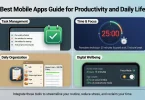
Productivity apps come in many forms. Some focus on task management, while others help with time tracking, note-taking, habit building, or focus improvement. Many apps combine several features into one platform, making daily planning easier.
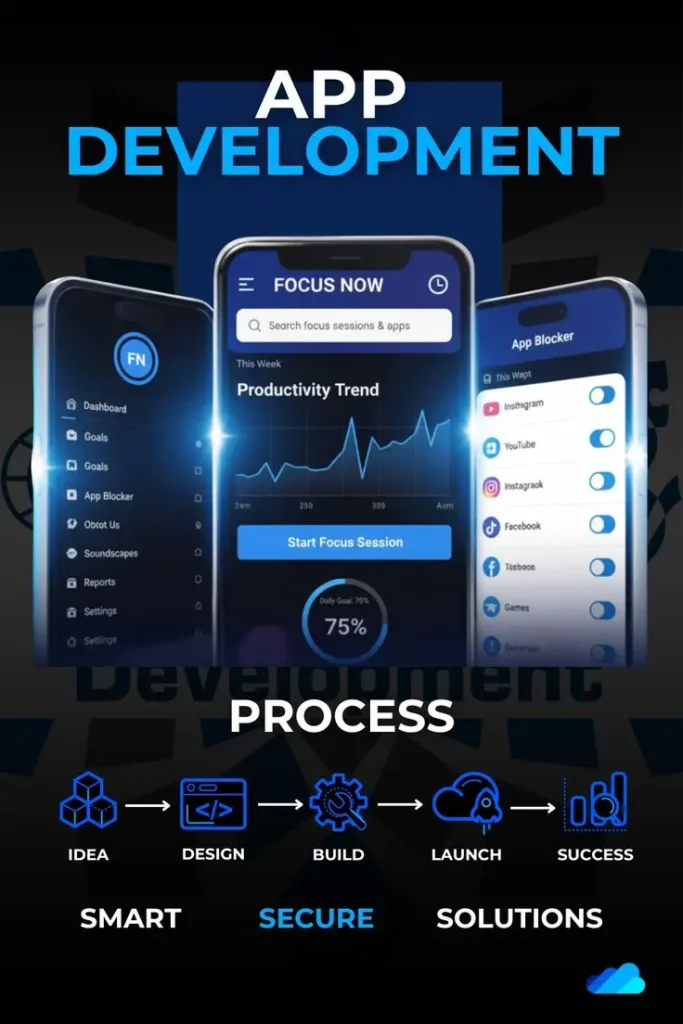
For example, a task management app allows users to create to-do lists, set deadlines, and track progress. A time management app helps users understand how much time they spend on different activities. Focus apps reduce distractions by limiting notifications or blocking distracting apps.
Mobile apps for productivity work because they are always available. Users can update tasks, check schedules, and record ideas anytime and anywhere. This flexibility makes them more effective than traditional paper planners for many people.
In simple words, mobile apps for productivity help you work smarter, not harder, by organizing your tasks, improving focus, and supporting better daily habits.
Why is Mobile Apps for Productivity Important?
Mobile apps for productivity are important because modern life demands better time management and focus. People juggle multiple responsibilities, and without proper planning, stress and inefficiency increase.
One major reason these apps matter is distraction control. Smartphones can distract users, but productivity apps turn the same device into a helpful tool. Instead of wasting time, users can stay organized and focused.
Another reason is improved efficiency. Productivity apps help break large tasks into smaller steps, making work feel manageable. This reduces procrastination and builds momentum.
Mobile apps for productivity also support goal achievement. By tracking progress and setting reminders, users stay motivated and consistent. Small daily actions lead to long-term success.
Additionally, these apps improve work-life balance. When tasks are organized, users can complete work faster and enjoy personal time without guilt or stress.
In short, mobile apps for productivity are important because they save time, reduce stress, improve focus, and help people achieve more with less effort.
Detailed Step-by-Step Guide
Step 1: Identify Your Productivity Needs
Before using mobile apps for productivity, understand what you need help with. Productivity problems differ from person to person.
Some people struggle with time management. Others forget tasks or lose focus easily. Write down your main challenges to choose the right app.
Common needs include task organization, focus improvement, habit tracking, and time control. Knowing your goal makes app selection easier.
Step 2: Choose the Right Type of App
There are different types of mobile apps for productivity. Each serves a specific purpose.
Task management apps help organize daily work. Time tracking apps show how time is spent. Focus apps reduce distractions. Note-taking apps store ideas and information.
Avoid installing too many apps at once. Start with one or two that match your main needs.
Step 3: Set Clear Goals Inside the App
After installing an app, set clear and realistic goals. Avoid vague tasks like “work more.” Instead, use specific actions such as “complete report by Friday.”
Clear goals help apps work effectively. They provide direction and measurable progress.
Break big goals into small steps. This reduces stress and builds consistency.
Step 4: Customize App Settings
Most mobile apps for productivity allow customization. Adjust notifications, reminders, and themes to suit your routine.
Too many notifications can be distracting. Choose only essential alerts. Personalization makes apps more comfortable and effective.
Spend time exploring settings to get the best experience.
Step 5: Build a Daily Routine
Productivity apps work best with consistency. Use them at the same time daily.
Review tasks every morning and track progress at night. This habit improves awareness and control over time.
Small daily use leads to long-term productivity improvement.
Step 6: Track Progress Regularly
Tracking progress shows what works and what does not. Many mobile apps for productivity offer charts and reports.
Use this data to improve habits. Adjust goals if needed. Progress tracking builds motivation and confidence.
Step 7: Review and Improve
Productivity is not fixed. Review your system weekly.
Remove unnecessary tasks, update goals, and improve routines. Continuous improvement keeps productivity apps useful and relevant.
Benefits of Mobile Apps for Productivity
- Improve time management and planning
- Increase focus and reduce distractions
- Help achieve personal and professional goals
- Reduce stress through better organization
- Support habit building and consistency
- Make task tracking simple and clear
- Improve work-life balance
- Increase motivation and accountability
Disadvantages / Risks
- Over-reliance on apps can reduce flexibility
- Too many apps may cause confusion
- Notifications can become distracting
- Learning new apps takes time
- Some apps require paid subscriptions
- Data privacy concerns may exist
Common Mistakes to Avoid
Many users install mobile apps for productivity but fail to benefit due to common mistakes. One mistake is using too many apps at once. This creates confusion instead of clarity.
Another mistake is setting unrealistic goals. Overloading your task list leads to frustration and burnout.
Ignoring app reviews and progress tracking is also common. Without review, productivity does not improve.
Some users rely only on apps and forget personal discipline. Apps support productivity, but effort is still required.
Avoid constant app switching. Give each app time to show results before replacing it.
FAQs
What are mobile apps for productivity?
Mobile apps for productivity are tools that help users manage tasks, time, focus, and goals more efficiently using smartphones.
Are productivity apps suitable for beginners?
Yes, many productivity apps are beginner-friendly and designed with simple interfaces and easy features.
Do productivity apps really improve focus?
Yes, when used correctly, they reduce distractions and help users stay focused on important tasks.
Can students use mobile apps for productivity?
Students can benefit greatly by organizing studies, managing time, and tracking assignments with productivity apps.
Are free productivity apps effective?
Many free apps offer useful features. Paid versions usually provide advanced tools but are not always necessary.
How long does it take to see results?
Results depend on consistency. Most users notice improvement within a few weeks of regular use.
Expert Tips & Bonus Points
Start small and stay consistent. Choose one productivity app and master it before adding another.
Review tasks daily and goals weekly. Reflection improves effectiveness.
Use reminders wisely. Too many alerts reduce focus.
Combine digital tools with healthy habits like breaks and exercise.
Remember that mobile apps for productivity are tools, not solutions. Discipline and commitment make them successful.
Conclusion
Mobile apps for productivity have become essential tools in modern life. They help people manage time, organize tasks, reduce distractions, and achieve goals more efficiently. With smartphones always nearby, productivity tools are more accessible than ever.
This guide explained mobile apps for productivity in simple terms, making it suitable for beginners and intermediate users. You learned what these apps are, why they matter, how to use them step by step, and how to avoid common mistakes. Understanding benefits and risks helps users make informed choices.
Productivity is not about working longer hours. It is about working smarter with focus and balance. When used correctly, productivity apps support better routines, healthier habits, and improved performance.
Success with mobile apps for productivity depends on consistency, realistic goals, and regular review. Start simple, stay disciplined, and improve gradually. Over time, these tools can transform daily life, reduce stress, and help you achieve meaningful progress with confidence and clarity.