
Introduction
Programming has become one of the most essential skills in today’s digital world. Whether you want to develop websites, mobile apps, or software, understanding programming basics is the first step toward success. Many beginners feel overwhelmed when they first see lines of code, but with the right guidance, programming can be both simple and enjoyable.
This programming basics tutorial is designed for beginners and intermediate learners who want to build a strong foundation in coding. You will learn fundamental concepts, practical steps, and best practices that can help you write code confidently. Programming is not just about memorizing syntax; it is about logical thinking, problem-solving, and creativity.
By following this tutorial, you will understand how programming languages work, how to write your first code, and how to avoid common mistakes. Whether you aim to become a professional software developer or just want to explore coding as a hobby, this guide will provide a clear path to success.
We will cover what programming is, why it is important, step-by-step coding instructions, benefits, risks, common mistakes, FAQs, and expert tips. By the end, you will feel confident in starting your programming journey and applying your knowledge to real-world projects.
What is Programming?
Programming, often referred to as coding, is the process of giving instructions to a computer to perform specific tasks. These instructions are written in a programming language, which the computer can understand and execute. Some popular programming languages include Python, Java, C++, JavaScript, and Ruby.
In simple terms, programming allows you to create software, websites, apps, and even games. Each program you use on a computer or smartphone is built using programming concepts. The instructions you write tell the computer how to process data, make decisions, and interact with users.
At its core, programming is problem-solving. You identify a problem, break it down into smaller steps, and then write code to solve it. Programming involves three key elements:
- Logic: The step-by-step reasoning behind how your program works.
- Syntax: The rules of the programming language you are using.
- Debugging: Finding and fixing errors in your code.
Programming is not just for experts; anyone with curiosity and patience can learn it.
Why is Programming Important?
Programming is a powerful skill with many advantages in both professional and personal life. Here’s why learning programming is important:
- High Demand for Programmers: Technology is growing rapidly, and businesses need skilled programmers to develop software and applications.
- Problem-Solving Skills: Programming teaches you logical thinking and structured problem-solving, useful in many areas of life.
- Career Opportunities: With coding skills, you can work in software development, web development, data analysis, AI, and more.
- Automation: Programming allows you to automate repetitive tasks, saving time and effort.
- Creativity: Coding lets you create games, apps, websites, and projects, giving you freedom to innovate.
- Understanding Technology: Even basic programming knowledge helps you understand how technology works around you.
In short, programming is a skill that opens doors to numerous opportunities and enhances your ability to think logically and creatively.
Detailed Step-by-Step Guide
Learning programming can be simple if you follow a structured approach. Here’s a step-by-step guide for beginners.
Step 1: Choose a Programming Language
Start by selecting a beginner-friendly language. Some options include:
- Python: Easy syntax, great for beginners, widely used in AI, web development, and data analysis.
- JavaScript: Essential for web development and interactive websites.
- Java: Popular in large applications and Android app development.
- C++: Strong for system programming and game development.
Step 2: Set Up Your Environment
Before coding, you need to install software to write and run programs:
- Python: Install Python from the official website and use IDEs like PyCharm or VS Code.
- JavaScript: Use any text editor and run code in a browser or Node.js.
- Java: Install Java JDK and an IDE like Eclipse or IntelliJ IDEA.
Step 3: Learn Basic Syntax
Every programming language has rules called syntax. Begin with the basics:
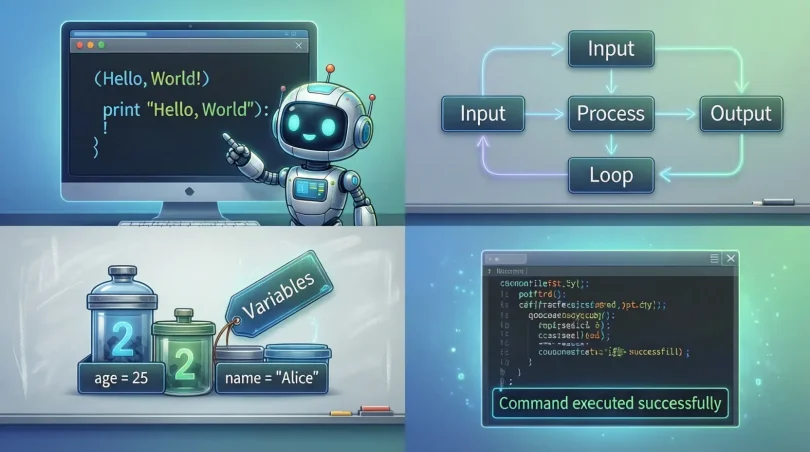
- Variables: Store data values
- Data Types: Numbers, strings, boo leans
- Operators: +, -, *, /, %
- Comments: Explain your code
Step 4: Understand Control Structures
Control structures guide the flow of your program:
Step 5: Learn Functions
Functions group code into reusable blocks. They make programming cleaner:
Step 6: Work with Arrays or Lists
Lists store multiple values in a single variable:
Step 7: Practice Problem Solving
Apply your knowledge by solving small coding problems:
- Calculate the sum of numbers
- Print patterns using loops
- Build a simple calculator
Step 8: Debugging
Mistakes are normal. Learn to read errors and fix them:
- Check syntax carefully
- Print variables to see values
- Use online communities for help
Step 9: Build Projects
Start small and gradually increase complexity:
- To-do list app
- Simple game (e.g., tic-tac-toe)
- Personal website
Benefits of Programming

Learning programming offers many advantages:
- Enhances logical and analytical thinking
- Opens career opportunities in tech and IT fields
- Enables creation of software, apps, and games
- Automates repetitive tasks
- Improves problem-solving skills
- Boosts creativity and innovation
- Understanding of algorithms and data structures
Disadvantages / Risks
While programming is beneficial, there are some challenges:
- Can be frustrating for beginners
- Requires continuous learning as technology evolves
- Long hours in front of a computer can affect health
- Debugging complex code can be time-consuming
- Over-reliance on tutorials may slow independent learning
Common Mistakes to Avoid
New programmers often make avoidable mistakes:
- Skipping Fundamentals: Jumping to advanced topics without mastering basics
- Copy-Pasting Code Blindly: Understanding is more important than copying
- Ignoring Errors: Small errors can lead to bigger problems later
- Poor Naming Conventions: Using vague variable names makes code confusing
- Not Practicing Enough: Coding requires regular practice to improve
- Overcomplicating Solutions: Simple solutions are often better
- Avoiding Debugging: Learning to debug is crucial for growth
FAQs
1. How long does it take to learn programming basics?
It depends on practice and dedication. Most beginners can grasp the basics in 1–3 months with consistent effort.
2. Which programming language is best for beginners?
Python is widely recommended due to its simple syntax and versatile applications. JavaScript is also great for web development.
3. Do I need a computer science degree to learn programming?
No. Many self-taught programmers succeed without a formal degree. Online tutorials, books, and practice are sufficient.
4. How can I practice programming effectively?
Start with small exercises, solve coding challenges, and build simple projects. Platforms like HackerRank and LeetCode can help.
5. What is the difference between programming and scripting?
Programming refers to creating software and applications, while scripting automates tasks. Scripting languages are usually easier to learn.
6. Can I become a professional programmer if I start now?
Yes. With consistent practice, building projects, and learning advanced topics, you can become a professional programmer.
7. What tools are essential for beginners?
A text editor (VS Code), a compiler or interpreter, and access to tutorials or online communities are enough to get started.
Expert Tips & Bonus Points
- Start Small: Begin with simple programs before tackling advanced projects.
- Practice Daily: Even 30 minutes a day improves skills over time.
- Read Code: Study other people’s code to understand different approaches.
- Break Problems Down: Divide tasks into smaller steps for easier coding.
- Use Version Control: Learn Git to manage and save code changes.
- Stay Updated: Technology evolves quickly, so continuous learning is essential.
- Join Communities: Participate in coding forums or online groups for support.
Bonus Tip: Try pair programming with a friend or mentor. Explaining code to someone else reinforces your understanding.
Conclusion
Programming is no longer a niche skill; it is essential in today’s technology-driven world. Learning the basics of programming provides a strong foundation for building software, websites, and applications. It enhances problem-solving skills, encourages logical thinking, and opens countless career opportunities.
While programming can seem challenging at first, persistence and regular practice make it manageable. By following this programming basics tutorial, beginners can gain confidence and gradually progress to advanced topics. Remember, making mistakes is part of learning. Each error teaches you how to improve and think more critically.
Whether you aim to become a professional software developer or just want to understand how technology works, programming is a valuable skill that can significantly benefit your personal and professional life. Start with small projects, stay consistent, and enjoy the process of creating something meaningful with code.
With dedication and curiosity, anyone can learn programming and turn ideas into reality. Start today, and your programming journey will soon lead to exciting opportunities and endless possibilities.