
Introduction
In today’s digital world, almost everything we do involves the internet—shopping, banking, studying, or even chatting with friends. While the internet makes life convenient, it also comes with risks. Cybercriminals are always looking for ways to steal personal information, hack accounts, or spread malware. That’s why learning online security tips is essential for everyone. Whether you are a beginner or someone who uses the internet daily, knowing how to stay safe online can save you from financial loss, identity theft, and privacy breaches.
Online security is not just about installing antivirus software or creating passwords; it’s about building good habits, being aware of threats, and using simple tools effectively. Even small mistakes, like clicking on a suspicious link or using weak passwords, can make you vulnerable to cyber attacks. By following practical online security tips, you can protect your personal information, safeguard your devices, and enjoy the internet confidently.
This guide will walk you through what online security is, why it matters, and provide step-by-step strategies to stay safe. You will also learn common mistakes to avoid, the benefits of strong online security, and expert tips to make your digital life safer. After reading this, you will have the knowledge and tools to protect yourself from online threats and enjoy a secure, worry-free internet experience.
What is Online Security?
Online security refers to the practice of protecting your devices, personal data, and online accounts from unauthorized access, theft, or damage. It is also called cybersecurity and includes strategies to prevent hackers, malware, phishing attacks, and other digital threats.
The main goal of online security is to ensure that your personal information—such as passwords, banking details, and private messages—remains safe from cybercriminals. It also includes keeping your devices and networks protected, so hackers cannot exploit vulnerabilities.
Online security is not just for tech experts. Anyone who uses the internet, emails, social media, or online banking should practice it. Simple steps like updating software, using strong passwords, and avoiding suspicious links are part of maintaining strong online security.
Why is Online Security Important?
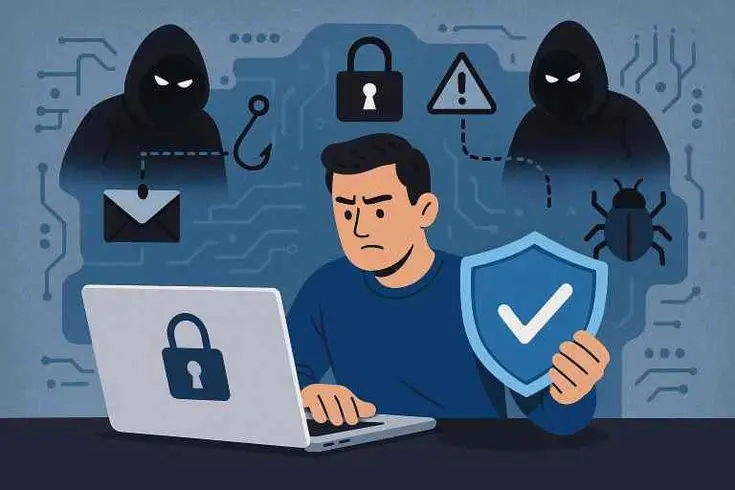
The importance of online security cannot be overstated. Without it, your sensitive information is vulnerable, and cybercriminals can exploit it in numerous ways. Here are some reasons why you should take online security seriously:
- Protection from Identity Theft: Hackers can steal personal information like your Social Security number, bank account details, or passwords.
- Financial Safety: Online shopping and banking are convenient, but without security measures, your money could be at risk.
- Preventing Data Loss: Malware and ransomware can delete or lock your important files. Online security helps prevent this.
- Maintaining Privacy: Personal messages, photos, and browsing history are private. Proper security prevents unwanted access.
- Safe Communication: Secure accounts ensure that emails and messages are protected from phishing attacks and scams.
- Peace of Mind: Knowing your data is secure allows you to use digital tools confidently.
Without online security, even simple activities like checking emails or browsing social media can become risky. It’s not just about technology—it’s about protecting your life and privacy in the digital era.
Detailed Step-by-Step Guide to Online Security
Implementing online security requires a combination of awareness, tools, and habits. Here’s a detailed step-by-step guide to protect yourself online:
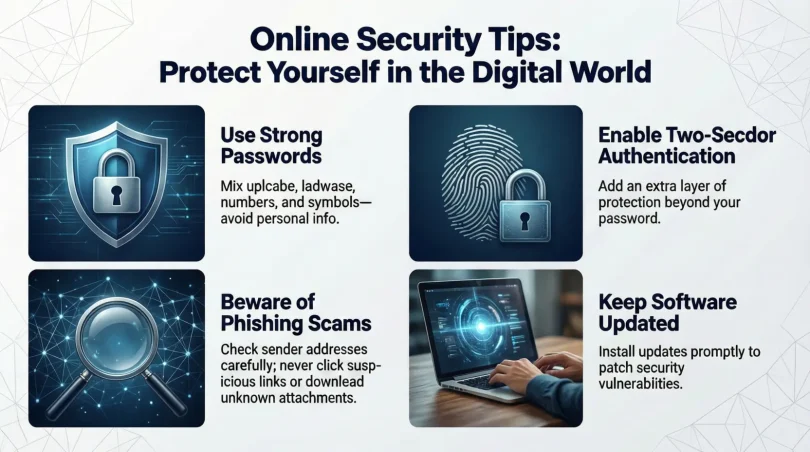
1. Use Strong Passwords
Passwords are the first line of defense against cybercriminals. A weak password can compromise your accounts quickly.
Tips for strong passwords:
- Use at least 12 characters, mixing letters, numbers, and symbols.
- Avoid using personal information like birthdays or names.
- Use unique passwords for each account.
- Consider a password manager to securely store and generate passwords.
Example: Instead of using mypassword123,
2. Enable Two-Factor Authentication (2FA)
Two-factor authentication adds an extra layer of security. Even if someone steals your password, they cannot access your account without the second factor, usually a text message code or authentication app notification.
3. Keep Software and Devices Updated
Hackers often exploit vulnerabilities in outdated software. Regular updates fix these vulnerabilities and protect your devices.
- Enable automatic updates for your operating system, apps, and antivirus software.
- Update your web browser frequently to ensure security patches are applied.
4. Use Secure Networks
Public Wi-Fi networks can be risky because hackers can intercept your data. Always use secure networks, especially when accessing sensitive information.
- Avoid public Wi-Fi for online banking or shopping.
- Use a Virtual Private Network (VPN) for extra security.
5. Be Careful with Emails and Links
Phishing emails are one of the most common ways hackers steal information.
- Do not click on suspicious links.
- Verify the sender’s email address.
- Avoid downloading attachments from unknown sources.
6. Use Antivirus and Anti-Malware Tools
Antivirus software detects and removes harmful programs that could compromise your device. Regular scans can prevent infections.
- Choose reliable antivirus programs.
- Run full system scans periodically.
- Keep antivirus definitions up-to-date.
7. Backup Your Data
Data loss can happen due to malware or hardware failure. Regular backups ensure you can recover important information.
- Use external hard drives or cloud storage for backups.
- Schedule automatic backups to prevent forgetting.
8. Protect Your Personal Information
Avoid sharing sensitive information unnecessarily online.
- Limit what you post on social media.
- Avoid oversharing details like your address or financial information.
- Use privacy settings to control who sees your data.
9. Use Encryption
Encryption ensures that your data is unreadable to unauthorized users.
- Use encrypted messaging apps for private conversations.
- Encrypt sensitive files before storing or sharing.
10. Monitor Your Accounts
Regularly check bank statements, email accounts, and social media for suspicious activity. Early detection can prevent major issues.
Benefits of Online Security
Implementing online security brings many advantages:
- Protects personal and financial information.
- Prevents identity theft.
- Ensures safe communication and browsing.
- Reduces the risk of malware and ransomware attacks.
- Maintains privacy on social media and apps.
- Increases confidence in using digital tools.
- Saves time and money by avoiding cybercrime-related losses.
Disadvantages / Risks of Poor Online Security
Neglecting online security can lead to:
- Identity theft and fraud.
- Unauthorized access to accounts.
- Data loss or corruption.
- Financial losses from scams or hacking.
- Damage to reputation if sensitive information is leaked.
- Increased stress and worry about personal safety online.
Common Mistakes to Avoid
Even when aware of online security, people make mistakes that increase their risk:
- Using the same password for multiple accounts.
- Clicking on suspicious links or attachments.
- Ignoring software updates.
- Sharing too much personal information online.
- Using unsecured public Wi-Fi without protection.
- Failing to back up important data.
- Assuming antivirus software alone provides complete protection.
Avoiding these mistakes can significantly reduce your vulnerability to cyber threats.
FAQs About Online Security
1. What is the most important online security tip?
Using strong, unique passwords and enabling two-factor authentication are the most crucial steps. They prevent unauthorized access even if passwords are compromised.
2. Is public Wi-Fi safe for online banking?
No. Public Wi-Fi networks are often insecure. Hackers can intercept your data. Use a VPN or wait until you are on a secure private network.
3. How often should I update my devices and software?
Always enable automatic updates. Critical security updates should be installed as soon as they are available to fix vulnerabilities.
4. Can antivirus software fully protect me?
Antivirus software helps detect and remove threats, but it is not enough alone. Combining it with secure passwords, 2FA, and safe browsing practices provides better protection.
5. What should I do if I suspect my account is hacked?
Immediately change your password, enable 2FA, and notify the platform’s support team. Monitor your accounts for suspicious activity.
6. Are mobile devices at risk?
Yes. Smartphones and tablets are vulnerable to malware, phishing attacks, and insecure apps. Install trusted apps only and keep your device updated.
7. How do I know if a website is safe?
Check for HTTPS in the website URL, a padlock icon, and avoid sites with suspicious pop-ups or poor design. Use reliable security tools to scan links.
8. What is phishing, and how can I avoid it?
Phishing is a scam where attackers trick you into giving personal information. Avoid clicking on suspicious links, verify email senders, and do not share sensitive data.
Expert Tips & Bonus Points
- Use Password Managers: They generate strong passwords and securely store them.
- Enable Account Recovery Options: Add backup email or phone numbers to regain access if locked out.
- Review App Permissions: Only allow necessary permissions on apps and devices.
- Educate Yourself Regularly: Stay informed about new threats and security practices.
- Secure Your Home Network: Change default router passwords and use WPA3 encryption if possible.
- Log Out After Use: Especially on shared devices or public computers.
- Limit Auto-Save Features: Avoid automatically saving passwords on public or shared devices.
Conclusion
Online security is no longer optional; it is essential in today’s digital world. By following practical online security tips, you can protect your personal data, prevent financial loss, and maintain your privacy. Simple actions like using strong passwords, enabling two-factor authentication, keeping software updated, and avoiding suspicious links go a long way toward keeping you safe online.
Implementing these tips consistently ensures that you enjoy the benefits of the internet without unnecessary risks. Cyber threats are constantly evolving, but with awareness and proactive measures, you can stay one step ahead of hackers. Remember, online security is about building good habits, being cautious, and using reliable tools. Protect your digital life today, and you will enjoy peace of mind, knowing your personal information is secure and your online experience is safe.